Full GIS engine power. None of the complexity. Open-source spatial platform built for field operations, geospatial analytics and AI-driven workflows.
josephmoturi.com/fieldops
Two complementary tools built for GIS field operations.
A full GIS desktop application built on the QGIS engine. Designed for field teams who need a clean, focused environment for spatial data work — without the complexity of the full QGIS interface.
A QGIS plugin purpose-built for building footprint digitising, attribute editing, and spatial data verification. Runs directly inside QGIS and adds a focused editing dock to your existing workflow.
Each panel is purpose-built — no settings buried three menus deep.
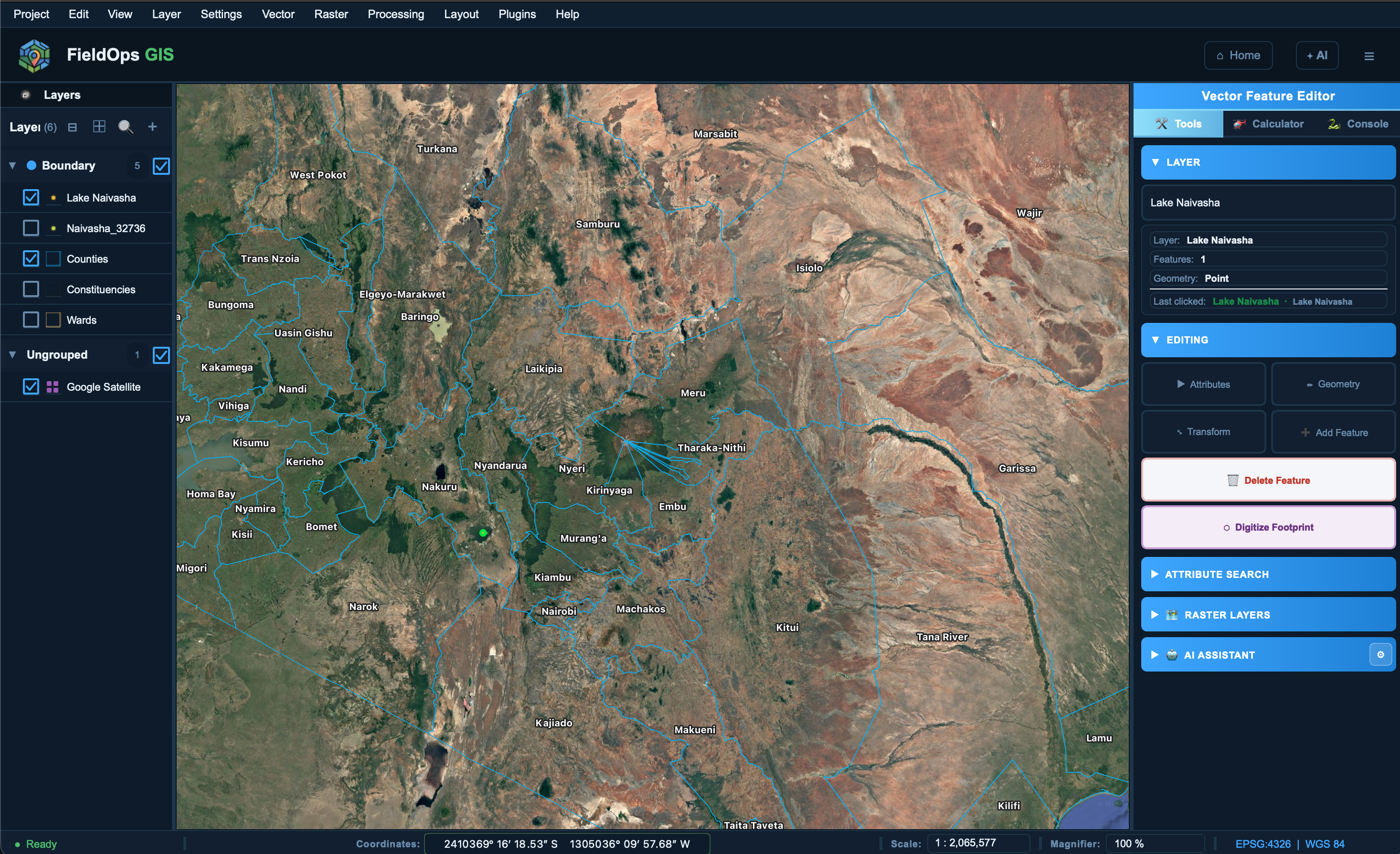
Full QGIS-powered map canvas with pan, zoom, feature picker, coordinate display and scale control.
Symbol swatches, search/filter bar, inline opacity slider, group drag-drop reordering — closer to the original QGIS panel than ever.
Stable custom browser with XYZ tile support (OSM, Google Satellite, Stadia and more), Favourites, and lazy filesystem navigation.
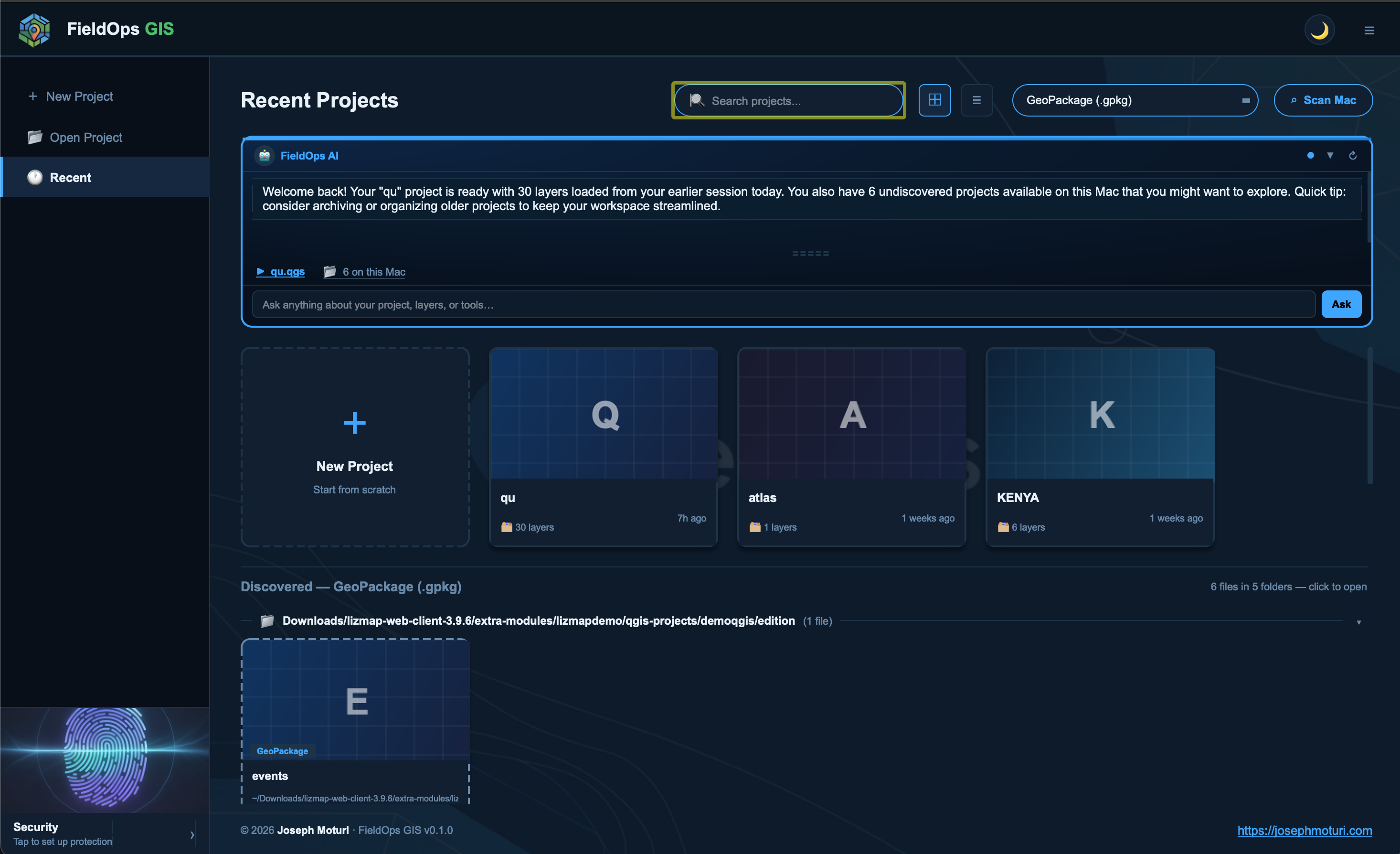
Scans your Mac for spatial files automatically using Spotlight or recursive search — grouped by folder, no flash or lag.
Add, move, delete features with snapping. Full vertex editor. Works on any vector layer in edit mode.
Inline attribute editing in a right-side dock. Edit field values directly without opening a full attribute table.
Custom 5-tab crash-free dialog: Information, Fields, Symbology (categories & ranges), Rendering (opacity, scale, blend), and Metadata.
Integrated FieldOps AI dock — ask questions about your project, get spatial analysis suggestions, and more.
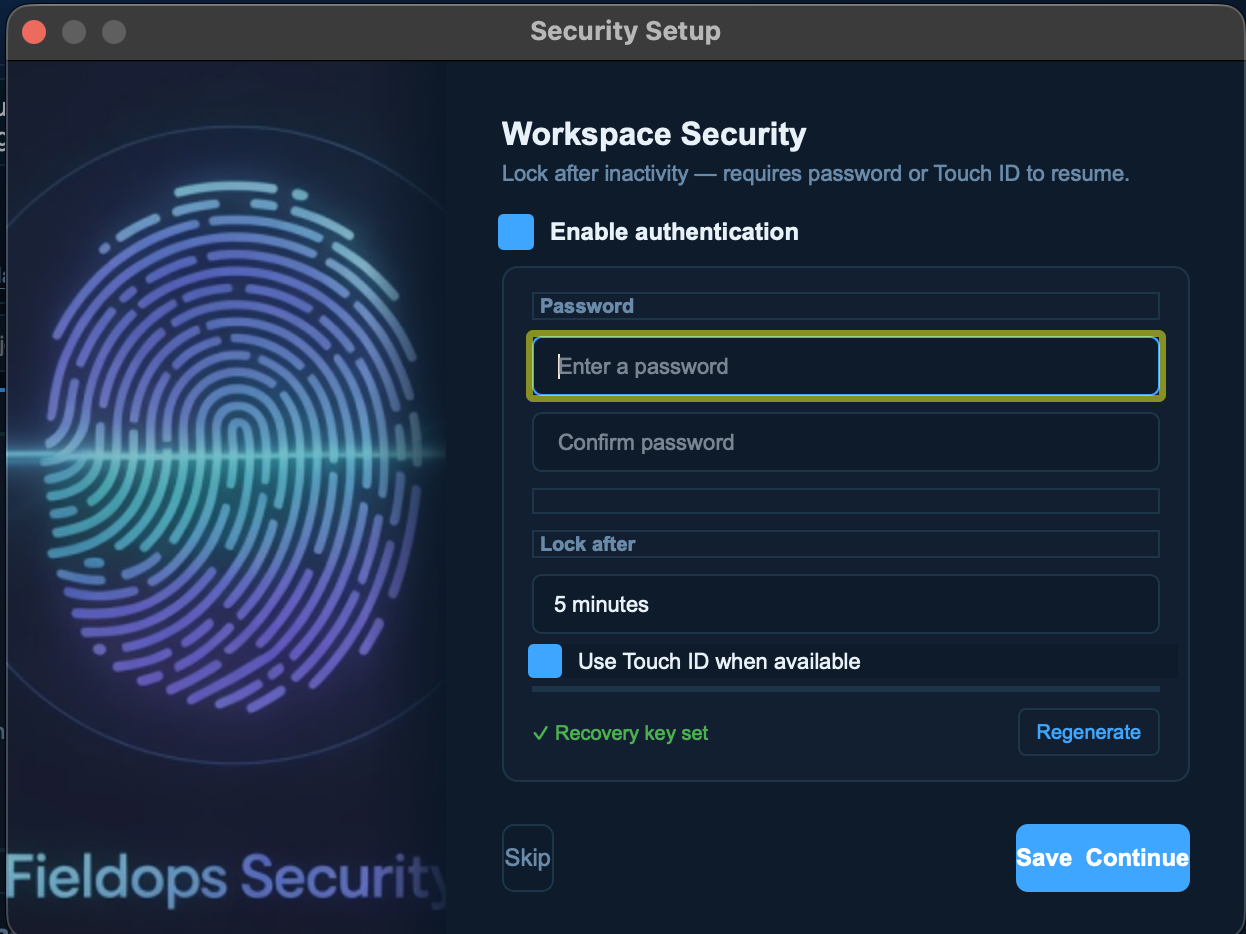
Biometric authentication on macOS. Auto-triggers when lock screen appears. Falls back to password gracefully.
Create print-ready map layouts with title, north arrow, scalebar and legend. Export to PDF or image.
Load and manage QGIS-compatible Python plugins inside FieldOps GIS without touching the main QGIS install.
Full theme system — switch between dark and light modes across every panel, dialog and toolbar.
A look at the app in action.
Built entirely in Python — no C++ required.
FieldOps GIS wraps the QGIS engine (the same engine that powers the world's leading open-source GIS desktop) inside a completely custom PyQt5 UI. Every panel — the layer tree, browser, attribute editor, map canvas, toolbar system — is written from scratch in Python, giving full control over UX without modifying QGIS itself. The result is a focused, stable desktop app that ships as a .app bundle on macOS.
What's been built, version by version.
What's being worked on next.
Attribute table inline editing Edit cell values directly in the table without a separate dialog.
Open discovered files as layers Clicking a scanned .shp / .gpkg should add it as a layer, not open as a QGIS project.
Print layout crash fix New print layout crashes in standalone context — root cause investigation underway.
Reveal in Finder Right-click a discovered spatial file to reveal its location in Finder.
Move to Trash Delete discovered files safely from the scan results panel.
Windows support Currently macOS only — Windows port planned once core features stabilise.
QgsField deprecation cleanup Minor: update constructor calls to non-deprecated form.
Documentation site Full user guide and technical reference hosted here.
Looking to connect with GIS professionals, spatial developers, and anyone building spatial workflows for the field.